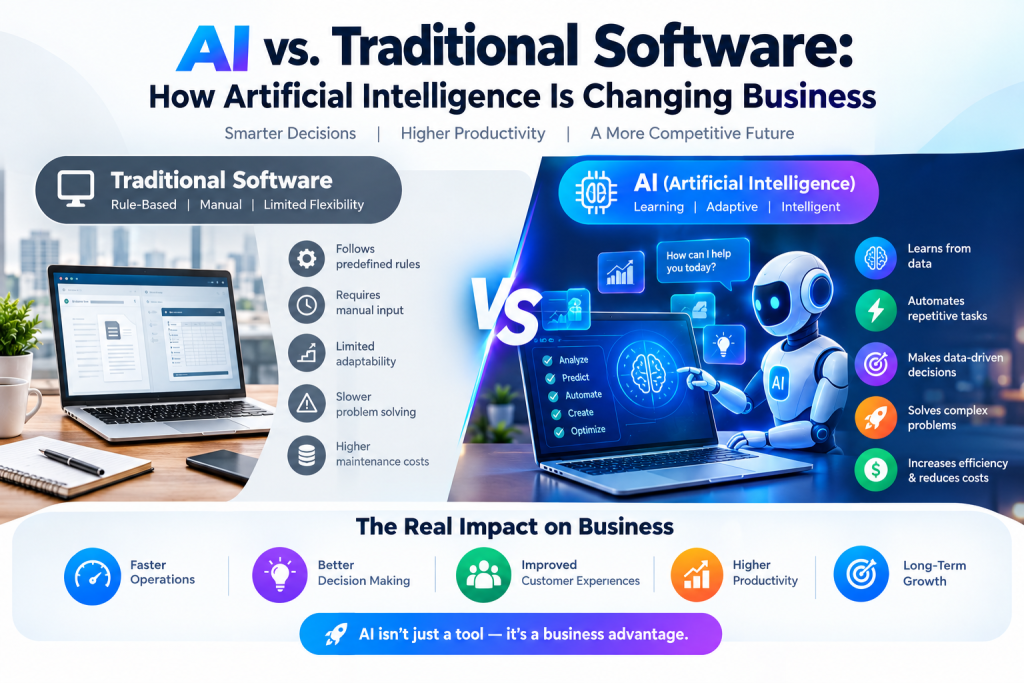
The AI revolution has moved from promise to practice. In 2026, artificial intelligence is no longer a futuristic technology that businesses aspire to adopt — it is an operational reality that is reshaping every function of every organisation, from the smallest sole trader to the largest global enterprise. Companies using AI effectively are automating roughly 40% of their manual tasks, creating a productivity gap that those still operating without AI tools are increasingly unable to close.www.facebook.com
The challenge for most business owners and managers is no longer whether to adopt AI — it is which tools to adopt, for which use cases, at what cost, and with what realistic expectation of return. The AI tools market has exploded into hundreds of products across dozens of categories, making intelligent selection genuinely difficult.
This guide cuts through the noise. We cover the best AI tools for business in 2026 across every major category — from AI assistants and writing tools to coding, customer service, meeting intelligence, image generation, and workflow automation — with honest assessments of features, current pricing, and real-world use cases.
Category 1: AI Assistants and Large Language Models
ChatGPT (OpenAI) — Best All-Around AI Assistant for Business
Best for: Content creation, research, coding assistance, customer communication drafts, data analysis, and general-purpose business tasks.
ChatGPT remains the most widely deployed AI assistant in the world and the starting point for most businesses beginning their AI adoption journey. Its combination of broad capability, ease of use, and continuous improvement makes it the most versatile tool in the category.www.prezent.ai
For businesses, the Team and Enterprise plans unlock features that go well beyond the consumer offering — larger context windows for analysing long documents, enhanced data privacy controls, administrative dashboards for team usage, and access to the latest GPT models including multimodal capabilities for image and document analysis.
Key business use cases:
- Drafting, editing, and refining business communications, proposals, and reports
- Research synthesis — summarising lengthy documents, industry reports, and competitor materials
- Customer support template creation and FAQ development
- Data analysis and interpretation from uploaded spreadsheets and documents
- Coding assistance, debugging, and code generation for technical teams
- Meeting agenda creation, follow-up summaries, and project planning
Pricing (2026):
- Free tier: Available with limited GPT-4 access
- Plus: $20/month per user (individuals)
- Team: ~$25/user/month (minimum 2 users), includes higher usage limits, privacy controls, and team admin features
- Enterprise: Custom pricing for organisations requiring SSO, advanced security, custom usage policies, and dedicated infrastructure
Verdict: The most versatile AI assistant available. For businesses not yet using any AI tool, ChatGPT Team is the logical first investment — it improves productivity across every business function without requiring technical expertise to deploy.
Claude (Anthropic) — Best for Analysis, Long-Form Writing, and Coding
Best for: Complex analysis, nuanced writing, legal and technical document review, and coding tasks requiring safety and precision.
Claude has established itself as the AI model of choice for professionals who need thoughtful, analytical, and nuanced output — particularly in legal, financial, consulting, and technical domains.www.prezent.ai Its defining strengths are an extraordinarily large context window (enabling analysis of entire legal contracts or lengthy technical documents in a single session) and a writing style that many professionals find more natural and less template-like than ChatGPT’s output.
For developers and technical teams, Claude — particularly through Cursor IDE integration — has become the go-to model for complex coding tasks, architecture discussions, and code review.
Key business use cases:
- Legal document analysis and contract review
- Financial report synthesis and investment memo drafting
- Technical documentation and specification writing
- Complex coding tasks, refactoring, and architecture planning
- Long-form business writing: white papers, executive reports, strategic plans
- Customer research analysis from large datasets
Pricing (2026):
- Free tier: Available with usage limits
- Claude Pro: $20/month per user
- Claude Max: $100/month per user for heavy professional usage
- API access: Available for developers building Claude-powered applications
Verdict: The strongest model for analysis-heavy and writing-intensive professional work. Teams doing significant document analysis, legal review, or complex coding should consider Claude as their primary or secondary AI assistant alongside ChatGPT.
Microsoft 365 Copilot — Best for Microsoft-Centric Business Environments
Best for: Organisations running on Microsoft 365 (Outlook, Teams, Word, Excel, PowerPoint) who want AI integrated directly into their existing workflow.
Microsoft Copilot is arguably the most practically impactful AI tool for businesses already embedded in the Microsoft ecosystem, because it does not require any change in workflow — the AI is built directly into the applications teams already use daily.
Copilot in Word drafts documents from prompts. Copilot in Excel generates formulas, analyses data, and creates visualisations in natural language. Copilot in Teams summarises meetings and generates action items automatically. Copilot in Outlook drafts, summarises, and prioritises emails. Copilot in PowerPoint creates presentation decks from documents or prompts.
Microsoft CEO Satya Nadella reported in 2025 that as much as 30% of Microsoft’s own code is now written by AI — a striking testament to the productivity impact of AI coding tools in which Copilot plays a significant role.www.cnbc.com
Key business use cases:
- Automated meeting transcription and action item generation in Teams
- Email drafting, summarisation, and triage in Outlook
- Data analysis and visualisation in Excel using natural language
- Presentation creation from existing documents in PowerPoint
- Document drafting and editing in Word
- Cross-application intelligence — summarising activities across email, chat, and calendar
Pricing (2026):
- Microsoft 365 Business Standard with Copilot: $23.50/user/month (paid yearly)www.microsoft.com
- Microsoft 365 Copilot standalone add-on: Available at various price points depending on base M365 plan
- Enterprise plans: Custom pricing with advanced compliance, security, and deployment optionslearn.microsoft.com
Verdict: For organisations already paying for Microsoft 365, adding Copilot is one of the highest-ROI AI investments available — the integration is seamless, the learning curve is minimal, and the productivity gains across daily work tasks are immediate.
Perplexity AI — Best for Real-Time Research and Business Intelligence
Best for: Market research, competitive intelligence, fact-checking, current news monitoring, and rapid knowledge synthesis.
Perplexity occupies a distinctive niche: it combines the conversational ability of a large language model with real-time web search, delivering research-quality answers with cited sources rather than generating responses from training data alone. For business research tasks — understanding a competitor’s recent moves, synthesising industry news, finding current statistics for a presentation — Perplexity is significantly faster and more reliable than asking ChatGPT to retrieve information it may not have.
Perplexity is estimated to reach $656 million in annual recurring revenue in 2026, reflecting rapid enterprise adoption.www.demandsage.com Its Internal Knowledge Search feature — allowing companies to index proprietary documents alongside real-time web results — is increasingly attracting enterprise customers who want AI-powered search across both internal and external knowledge sources.
Key business use cases:
- Competitive intelligence gathering and monitoring
- Market research synthesis from current sources
- Due diligence research for deals, partnerships, and investments
- Fact-checking and source verification
- Current events monitoring for specific industries or topics
- Rapid briefing preparation before client meetings
Pricing (2026):
- Free tier: Available with usage limits
- Pro: ~$20/month per user
- Max: ~$167/month for power users requiring maximum usagewww.perplexity.ai
- Enterprise: Custom pricing including Internal Knowledge Search and SSO
Verdict: The most reliable AI tool for current, cited research. Indispensable for research-heavy roles — analysts, consultants, marketing teams — and an excellent complement to ChatGPT or Claude for organisations that need both generation and current research capabilities.
Category 2: AI Writing and Content Tools
Grammarly Business — Best AI Writing Assistant for Teams
Best for: Any business where professional written communication matters — sales, marketing, customer service, HR, legal, and executive communications.
Grammarly has evolved far beyond its origins as a grammar checker into a comprehensive AI writing platform. The Business tier provides team-wide style guides, tone consistency enforcement, brand voice customisation, and AI generation capabilities — ensuring that every piece of written communication from a company meets a consistent professional standard.
For companies with distributed teams, remote workers, or non-native English speakers producing customer-facing communications, Grammarly Business delivers measurable improvements in communication quality, faster drafting, and consistent brand voice across thousands of messages.
Key business use cases:
- Real-time writing assistance across email, documents, Slack, and web
- Brand voice consistency enforcement across teams
- Faster email and proposal drafting with AI generation
- Tone detection and adjustment for different audiences and contexts
- Reducing editing time on customer-facing communications
- Onboarding documentation and internal knowledge base writing
Pricing (2026):
- Free: Basic grammar and spelling
- Premium: $12/month per user (billed annually)www.grammarly.com
- Business: Custom pricing for teams — includes team analytics, style guides, and admin controls
- Enterprise: Custom pricing with SSO, advanced security, and dedicated support
Verdict: The most universally applicable AI writing tool for business. Works across every writing surface, requires no workflow change, and delivers immediate quality improvements for teams of any size.
Jasper AI — Best for High-Volume Marketing Content
Best for: Marketing teams producing large volumes of brand-consistent content — blog posts, social media, email campaigns, ad copy, and product descriptions.
Jasper is purpose-built for marketing content production at scale. Unlike general-purpose AI assistants, Jasper incorporates brand voice training, campaign templates, SEO optimisation workflows, and team collaboration features specifically designed for marketing teams working at volume.helium42.com
For marketing teams that need to produce dozens of pieces of content weekly — adapting core messaging across different channels, audiences, and formats — Jasper’s specialised workflows and brand consistency features provide value that generic AI assistants cannot replicate as efficiently.
Key business use cases:
- Blog post and long-form content production
- Social media content calendar creation and management
- Email marketing sequence drafting
- Ad copy generation and variant testing
- Product description writing at scale
- Repurposing existing content across multiple formats
Pricing (2026):
- Creator: ~$49/month per seat
- Pro: ~$69/month per seat (5 seats minimum, includes brand voice and campaign tools)
- Business: Custom enterprise pricing with API access, custom AI models, and dedicated support
Verdict: Best suited to marketing teams with genuine content volume requirements. For businesses producing fewer than 10 pieces of content per week, ChatGPT or Claude may be sufficient; for high-volume content operations, Jasper’s specialist workflows justify the premium pricing.
Category 3: AI Coding and Developer Tools
Cursor — Best AI Coding Assistant for Software Teams
Best for: Software developers, engineering teams, and technical founders building applications who want an AI-native development environment.
Cursor has emerged as the AI coding tool of choice for serious developers in 2026 — an AI-first IDE (Integrated Development Environment) that goes far beyond the inline code completion of earlier tools. Cursor’s Agent mode writes entire functions and modules, refactors codebases, explains complex code, generates tests, and engages in sophisticated back-and-forth dialogue about architecture and implementation.
The platform supports all major programming languages and integrates with GitHub, allowing it to understand an entire codebase’s context when suggesting changes or writing new features. Developer productivity benchmarks consistently show significant time savings for teams using Cursor, with some engineering teams reporting 40–60% reductions in time spent on routine coding tasks.larridin.com
Key business use cases:
- Feature development acceleration
- Legacy code refactoring and modernisation
- Test generation and quality improvement
- Code review and bug identification
- Documentation generation from existing code
- Onboarding new developers to unfamiliar codebases
Pricing (2026):
- Free: Basic features with limited usage
- Pro: $20/month per user
- Business: $40/month per user (includes team management, privacy controls, and zero data retention)
- Enterprise: Custom pricing
Verdict: The most capable AI coding tool available for professional software development. For engineering teams, Cursor’s productivity impact typically delivers a return on its cost within the first week of adoption.
GitHub Copilot — Best AI Coding Tool for GitHub-Integrated Teams
Best for: Development teams deeply integrated with GitHub who want AI assistance within their existing IDE rather than switching to a new environment.
GitHub Copilot remains the most widely adopted AI coding tool in enterprise environments — largely because it integrates with every major IDE (VS Code, JetBrains, Vim, Neovim) rather than requiring developers to switch tools. For organisations with standardised development environments or strong IDE preferences, Copilot’s flexible integration model is a significant advantage.
Pricing (2026):
- Individual: $10/month per user
- Business: $19/month per user (includes organisation management, audit logs, and IP indemnity)
- Enterprise: $39/month per user (includes custom model fine-tuning and advanced security features)www.developersdigest.tech
Verdict: The safer enterprise choice for organisations with standardised development environments or compliance requirements around data handling. Cursor is more capable for individual developers; Copilot is often more appropriate for large engineering organisations with existing GitHub infrastructure.
Category 4: AI Meeting and Productivity Tools
Fireflies.ai — Best AI Meeting Assistant for Sales and Operations Teams
Best for: Sales teams, consulting firms, and any business running significant volumes of client or internal meetings who need automated transcription, summaries, and CRM integration.
Fireflies automatically joins video calls (Zoom, Google Meet, Microsoft Teams), transcribes in real time, generates AI-powered meeting summaries with action items, identifies key topics and sentiment, and pushes notes directly into CRM systems like Salesforce and HubSpot.sonix.ai
For sales teams, the ability to automatically log call notes to the CRM, identify objections and next steps, and review call sentiment without manual input represents a substantial time saving — typically 30 to 60 minutes per sales rep per day.
Key business use cases:
- Automatic meeting transcription and summary generation
- Action item extraction and task creation
- CRM integration — automatic note logging after sales calls
- Sales call coaching — reviewing conversations for objection handling
- Compliance recording for regulated industries
- Cross-team meeting knowledge management
Pricing (2026):
- Free: Limited transcription and storage
- Pro: $10/seat/month — includes unlimited transcription and AI summaries
- Business: ~$19/seat/month — includes advanced analytics, CRM integration, and team featuresconvertaudiototext.com
- Enterprise: Custom pricing with SSO, compliance features, and dedicated support
Verdict: One of the clearest ROI-positive AI tools available for sales and client-facing teams. The time saved on meeting documentation alone typically justifies the cost within days of deployment.
Otter.ai — Best AI Meeting Tool for Real-Time Collaboration
Best for: Teams who want live transcription during meetings for real-time reference and note-sharing, particularly in educational, legal, and executive contexts.
Otter.ai provides real-time transcription with speaker identification, live slide capture, and collaborative highlighting — making it particularly useful for meetings where participants need to reference the transcript during the conversation rather than only after.
Pricing (2026):
- Free: 300 minutes/month of transcription
- Pro: $8.33/user/month (billed annually)
- Business: $19.99/user/month — includes enhanced AI features and admin controlsskimle.com
- Enterprise: Custom pricing with advanced security and compliance
Verdict: A strong alternative to Fireflies, with superior real-time collaboration features. Teams that review transcripts during meetings will prefer Otter; teams prioritising CRM integration and post-meeting automation will prefer Fireflies.
Category 5: AI Customer Service and CRM Tools
HubSpot with AI Features — Best AI-Powered CRM for SMBs
Best for: Small to medium businesses seeking an integrated AI-powered CRM, marketing automation, and customer service platform.
HubSpot’s AI capabilities have expanded significantly in 2026, incorporating AI across its entire platform — an AI chatbot for website visitor qualification, AI-powered email personalisation, predictive lead scoring, content generation for marketing campaigns, and conversation intelligence for sales calls. For SMBs seeking an all-in-one solution, HubSpot’s depth of AI integration across marketing, sales, and service functions is unmatched at its price point.
Key business use cases:
- AI-powered lead scoring and prioritisation
- Automated email personalisation at scale
- AI chatbot for website visitor qualification and support
- Content generation for marketing campaigns
- Conversation intelligence and deal risk identification
- AI-generated reports and business insights
Pricing (2026):
- Free CRM: Available with basic AI features
- Starter: From $20/month per seat
- Professional: From ~$100/month per seat (more advanced AI features)
- Enterprise: Custom pricing — from ~$4,300/month for full suitewww.engagebay.com
Verdict: The most accessible AI-powered all-in-one business platform for growing companies. The free and starter tiers provide genuine AI value for very small businesses, while the professional and enterprise tiers scale to accommodate more sophisticated requirements.
Category 6: AI Image and Creative Tools
Midjourney — Best AI Image Generator for Marketing and Creative Work
Best for: Marketing teams, creative agencies, social media managers, and product designers who need high-quality visual content at scale.
Midjourney consistently produces the highest-quality, most aesthetically sophisticated AI-generated images of any platform — excelling at marketing imagery, brand visuals, concept art, product visualisations, and social media content.aloa.co Its Discord-based interface has become more streamlined in 2026 with the addition of a web platform, making it more accessible for non-technical business users.
Key business use cases:
- Marketing campaign imagery and visual content
- Social media graphics and illustrations
- Product concept visualisation
- Brand asset creation and variation testing
- Website hero images and editorial illustrations
- Pitch deck and presentation visuals
Pricing (2026):
- Basic: $10/month (~200 images/month, commercial rights included)
- Standard: $30/month (unlimited relaxed generations)
- Pro: $60/month (stealth mode for privacy, more fast GPU time)
- Mega: $120/month for highest-volume commercial productiondocs.midjourney.com
Verdict: The highest-quality AI image generator for commercial use. The Basic plan at $10/month delivers extraordinary value for small marketing teams; larger organisations benefit from the Standard or Pro tiers.
Adobe Firefly — Best AI Image Tool for Adobe Creative Suite Users
Best for: Design teams already using Adobe Creative Cloud who want AI image generation integrated directly into Photoshop, Illustrator, and Express.
Adobe Firefly is unique in the AI image space for two reasons: it is built into the Adobe tools designers already use, and it is trained exclusively on licensed, commercially safe content — making it the most legally secure option for enterprise brands concerned about intellectual property and commercial rights.
Key business use cases:
- Extending and editing existing brand assets
- Background generation and replacement in Photoshop
- Text effects and graphic design in Illustrator
- Social media content creation in Adobe Express
- Product photography enhancement and variation
- Brand-consistent visual content production
Pricing (2026): Included with Adobe Creative Cloud subscriptions (from ~$54.99/month for teams), with additional generative credits available for high-volume users.
Verdict: The safest and most workflow-integrated choice for design teams already on Adobe Creative Cloud. For organisations concerned about AI image copyright, Firefly’s commercially trained dataset provides protection that Midjourney cannot.
Category 7: AI Workflow Automation Tools
Zapier with AI — Best No-Code AI Automation for SMBs
Best for: Non-technical business owners and teams who want to connect apps and automate repetitive workflows without writing code.
Zapier connects over 7,000 apps and, in 2026, has integrated AI capabilities that allow natural language workflow creation, AI-powered decision logic within automations, and AI Agents that can autonomously complete multi-step tasks. For small businesses that cannot afford technical automation resources, Zapier’s AI capabilities make sophisticated workflow automation genuinely accessible.www.prezent.ai
Key business use cases:
- Automating data entry between CRM, spreadsheets, and communication tools
- Lead capture and routing workflows
- Email and Slack notification automations
- Social media posting automation
- E-commerce order management workflows
- Document generation triggered by form submissions
Pricing (2026):
- Free: 100 tasks/month
- Professional: $29.99/month (750 tasks)
- Team: From $103.50/month
- Enterprise: Custom pricing with advanced security and unlimited usageailiteracyacademy.org
Verdict: The most accessible automation platform for non-technical businesses. The free tier handles surprisingly complex workflows for very small businesses; paid tiers scale efficiently for growing companies.
How to Choose the Right AI Tools for Your Business
With so many options across so many categories, the selection process matters as much as the tools themselves. Use this framework to prioritise your AI investment:
Start with the highest-friction tasks. Identify the business activities that consume the most time per week across your team — meeting documentation, content creation, email communication, data entry, customer service queries. AI tools that address the highest-friction tasks deliver the fastest and most measurable ROI.
Prioritise integration over capability. The most capable AI tool is useless if your team does not use it. Tools that integrate seamlessly into existing workflows — Copilot inside Microsoft 365, Grammarly across all writing surfaces, Fireflies automatically joining all your calls — see far higher adoption rates than tools requiring workflow changes.
Assess data privacy requirements first. For regulated industries (healthcare, finance, legal), enterprise-grade data privacy controls are non-negotiable. Verify data processing, retention, and security policies for any AI tool before deploying it with sensitive client or business data.
Pilot before committing. Most major AI tools offer free tiers or trial periods. Run a 30-day pilot with a small team before committing to an enterprise agreement. Measure time savings, output quality, and team adoption honestly before scaling.
Budget realistically for the AI stack. A well-configured AI stack for a 10-person business — covering an AI assistant, writing tool, meeting intelligence, and automation platform — typically costs $200 to $600 per month total. Against the productivity gains achieved, this investment typically generates a positive return within the first month of effective adoption.
AI Tools Quick Reference: 2026 Business Stack
| Tool | Category | Starting Price | Best For |
|---|---|---|---|
| ChatGPT Team | AI Assistant | $25/user/month | Versatile daily business tasks |
| Claude Pro | AI Assistant | $20/user/month | Analysis, writing, coding |
| Microsoft Copilot | AI Assistant | Bundled with M365 | Microsoft-integrated teams |
| Perplexity Pro | Research AI | $20/user/month | Real-time research and intelligence |
| Grammarly Business | Writing AI | $12/user/month | Team writing quality |
| Jasper Pro | Content AI | $69/seat/month | High-volume marketing content |
| Cursor Business | Coding AI | $40/user/month | Software development teams |
| GitHub Copilot Business | Coding AI | $19/user/month | GitHub-integrated engineering |
| Fireflies Pro | Meeting AI | $10/seat/month | Sales call automation |
| HubSpot Starter | CRM AI | $20/seat/month | SMB CRM and marketing |
| Midjourney Standard | Image AI | $30/month | Marketing visual content |
| Zapier Professional | Automation | $29.99/month | No-code workflow automation |
Final Thoughts: AI Adoption Is No Longer Optional
The productivity gap between AI-enabled and AI-absent businesses is widening every quarter. The tools covered in this guide are not experimental — they are production-ready, commercially proven, and actively used by millions of businesses worldwide to reduce costs, accelerate output, and improve quality across every business function.
The biggest risk in 2026 is not adopting the wrong AI tool. It is adopting no AI tools at all — and finding yourself competing against teams, agencies, and companies operating at two or three times your productivity for the same labour cost.
Start with one tool in the category most relevant to your highest-friction workflow. Master it, measure the impact, and build from there. The AI advantage is real, it is available right now, and it is accessible to businesses of every size and budget.